
Are we being good ancestors?
The 10,000-year clock will mark time with astronomic and calendric displays and a chime generator designed with the help of Brian Eno that can produce over 3.5 million unique bell chime sequences — one for every day the clock is visited for the next 10,000 years.
Ten thousand years is about the age of modern civilization, so the clock will measure out a future of civilization equal to its past. This assumes our civilization is in the middle of whatever journey we are on — an implicit statement of optimism.
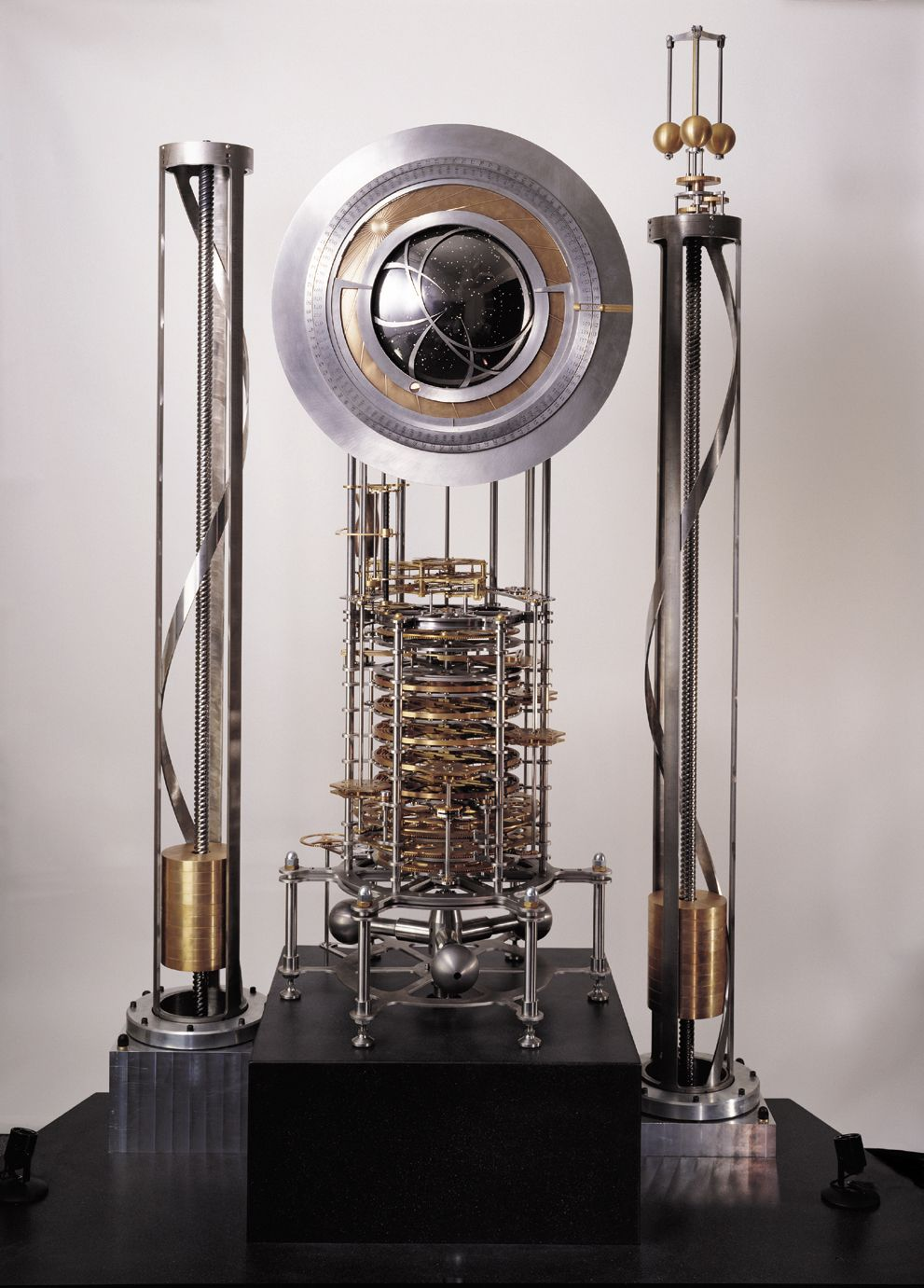
How do you build a clock that will last 10,000 years? Look at the list given in the article above:
Longevity
10,000-year clocks should display the correct time for the next 10,000 years
- Go slow
- Minimize sliding friction
- Stay clean and dry
- Expect bad weather and earthquakes
- Expect non-malicious human interaction
- Don’t tempt thieves
Maintainability
It should be possible to maintain a 10,000-year clock with little maintenance, using bronze-age technology
- Use familiar materials
- Make it easy to build parts
- Include the manual
Transparency
It should be possible to determine the operational principles of a 10,000-year clock with close inspection
- Allow inspection
- Allow rehearsed motions
- Expect restarts
Evolvability
It should be possible to improve a 10,000-year clock over time
- Separate functions
- Provide simple interfaces
Scalability
It should be possible to build working models of a 10,000-year clock from table top to monumental size using the same design
- Make all parts similar size
Some of these sound similar to software, no?
- Make it easy to build parts
- Include the manual
- Separate functions
- Provide simple interfaces
Indeed, many fundamental principles of nature are true across domains.
This latest release is called κατακλυσμός, and for the savvy transliterator, you can see that means cataclysm!
But its real meaning in Koine Greek is more like flood, which is a better description for this release. The biggest single change, though, is once again another plugin refactor — and we’ll probably do it again. Getting those abstractions right will allow Kai to be designed for the Long Now, and hopefully grow organically into something great that can stand the test of time.
Please note: SOPS/system-level commands modify system state and that and the ISO command is very experimental. Use them with caution on disposable machines as this is still a prototype!
Highlights:
- Refactored the plugin schema (again)
- Lots of ergonomics and UX infrastructure
- Tests for every command implementation!
- Better errors and Nix error bubbling
system-level commands to control your Nix config!generations/rollback/switch
- ISO create command (for an eventual KaiOS…?)
- SOPS secrets
- backend-scoping and passthrough
Refactoring the plugin schema (again)
Kai is built via plugins similar to how Caddy works. The standard (and currently only useful) plugin, std, is compiled using xkai, which, like xcaddy, just bundles the std package together and provides a generic CLI skeleton around it. As noted in previous posts, getting this plugin structure right is crucial to Kai’s essential goals of being generic, flexible, and modular. The single biggest refactor is changing the schema design to more accurately reflect the separation between commands, blocks, and backend implementations.
Ergonomics
Kai didn’t have much in the way of a help menu, and errors literally just spit out raw Roc constructs (gross!) which made them difficult for humans to read.
Help Menu
Finally, a proper help menu!
kai
A friendly frontend for determinate computing

Usage:
  kai [OPTIONS] <COMMAND> [ARGUMENTS] [--json]

Kai is a tool for providing a simplified interface on top of determinate
systems (mainly Nix) for ease of use. Commands often correspond with a
Kaifile block defining their behavior:

  $ kai shell
  $ cowsay "Hello from Kai!"

  # Kaifile
  shell {
      packages: ["cowsay"]
  }

Commands:
  build     Build an artifact declared in the Kaifile.
  deploy    Build and activate a machine on its declared target.
  image     Build an image from a machine declared in the Kaifile.
  iso       Build a bootable ISO from a machine declared in the Kaifile.
  machine   Build a machine declared in the Kaifile.
  run       Run a task declared in the Kaifile.
  service   Build a service declared in the Kaifile.
  shell     Enter an inline or declared developer environment.
  system    Manage machine-wide state.
  update    Update and lock project dependencies.
  workflow  Run a workflow declared in the Kaifile.
  version   Print version information.

Options:
  -f, --file <PATH>  Use the Kaifile at PATH
      --json         Output JSON Lines
      --no-color     Disable colored output
  -y, --yes          Assume yes for confirmation prompts.
  -h, --help         Print help

Environment:
  KAI_DIR             Project-local workspace directory (default: .kai)

More information: https://github.com/thebrandonlucas/kai
CLI examples on each help menu
Each subcommand has a help menu with its equivalent Kaifile block example if applicable:
kai help build
Build an artifact declared in the Kaifile.

Usage:
  kai [OPTIONS] build [BACKEND] <ARTIFACT> [--json]

Examples:
  kai build <my-artifact>

Kaifile block:
  build my-artifact {
    environment: dev
    run: ["make"]
    output: "result"
  }

Arguments:
  BACKEND  Optional backend name
  ARTIFACT  Artifact name from the Kaifile

Options:
  -f, --file <PATH>  Use the Kaifile at PATH
      --json         Output JSON Lines
  -y, --yes          Assume yes for confirmation prompts.
  -h, --help         Print help
--json Outputs
clig.dev has a great entry on how you should design everything for humans and machines (so tools can be composable), so we have a --json flag that should work for each command:
kai help build --json
{"type":"help","message":"Build an artifact declared in the Kaifile.\n\nUsage:\n  kai [OPTIONS] build [BACKEND] <ARTIFACT> [--json]\n\nExamples:\n  kai build <my-artifact>\n\nKaifile block:\n  build my-artifact {\n    environment: dev\n    run: [\"make\"]\n    output: \"result\"\n  }\n\nArguments:\n  BACKEND  Optional backend name\n  ARTIFACT  Artifact name from the Kaifile\n\nOptions:\n  -f, --file <PATH>  Use the Kaifile at PATH\n      --json         Output JSON Lines\n  -y, --yes          Assume yes for confirmation prompts.\n  -h, --help         Print help"}
I should probably add a --pretty flag or something for humans to be able to use the JSON version if they’d like, but we’ll wait and see if that use case gets justified.
ANSI
We added ANSI coloring infrastructure. Just the very basics, bold for headers, red for errors, etc. The base is there and we can easily add/modify as needed.
Errors
Kai Errors
I think the correct philosophy around error message design is clig.dev’s:
One of the most common reasons to consult documentation is to fix errors. If you can make errors into documentation, then this will save the user loads of time.
Catch errors and rewrite them for humans. If you’re expecting an error to happen, catch it and rewrite the error message to be useful. Think of it like a conversation, where the user has done something wrong and the program is guiding them in the right direction. Example: “Can’t write to file.txt. You might need to make it writable by running ‘chmod +w file.txt’.”
Signal-to-noise ratio is crucial. The more irrelevant output you produce, the longer it’s going to take the user to figure out what they did wrong. If your program produces multiple errors of the same type, consider grouping them under a single explanatory header instead of printing many similar-looking lines.
Consider where the user will look first. Put the most important information at the end of the output. The eye will be drawn to red text, so use it intentionally and sparingly.
If there is an unexpected or unexplainable error, provide debug and traceback information, and instructions on how to submit a bug. That said, don’t forget about the signal-to-noise ratio: you don’t want to overwhelm the user with information they don’t understand. Consider writing the debug log to a file instead of printing it to the terminal.
Make it effortless to submit bug reports. One nice thing you can do is provide a URL and have it pre-populate as much information as possible.
That last one wasn’t considered in this release, but I do love the idea and will add it in the future.
Now, errors that used to look like this:
Program exited with error: PlanningFailed({ backend: "nix", command:
"build", location: None, message: "build requires exactly one config
name", plugin: "std" })
Now, in the new release, look like this:
error: build requires exactly one artifact argument
usage: kai build <ARTIFACT>
example: kai build <my-artifact>
Much better!
Nix Error Bubbling
Since the std plugin in Kai sits on top of Nix, there will always be a subset of errors that Kai won’t be able to capture itself, since there can always be drift between how Kai mirrors the underlying implementation and we’ll never be able to have a perfect one-to-one error map. For example, if the user defines a package foo that is not in nixpkgs, Kai will presently still just write the flake.nix file and try to evaluate it under the hood, resulting in one of those ugly gargantuan Nix errors like:
error:
       … while calling the 'derivationStrict' builtin
         at «nix-internal»/derivation-internal.nix:37:12:
           36|
           37|   strict = derivationStrict drvAttrs;
             |            ^
           38|

       … while evaluating derivation 'nix-shell'

       … while evaluating attribute 'nativeBuildInputs' of derivation 'nix-shell'

       (stack trace truncated; use '--show-trace' to show the full, detailed trace)

       error: attribute 'foo' missing
       at /nix/store/…-source/flake.nix:7:15:
            6|       packages = [
            7|               nixpkgs."legacyPackages"."x86_64-linux"."foo"
             |               ^
            8|       ];
       Did you mean one of fio, fjo, folo, foot or fop?
This violates the rules above by showing so much information internal to Nix itself rather than the user’s code, where the violation actually lies. That should be up front and immediately obvious.
The real error is just this:
error: attribute 'foo' missing
at /nix/store/…-source/flake.nix:7:15:
    6|       packages = [
    7|               nixpkgs."legacyPackages"."x86_64-linux"."foo"
     |               ^
    8|       ];
Did you mean one of fio, fjo, folo, foot or fop?
So we attempt to strip this out, but more work/experimentation will need to be done.
Features
import blocks
Kaifiles can now import each other! This is not a whole module system like a programming language, but rather basically just string concatenation under the hood similar to Caddy. We really just needed a way for large Kaifiles to be expanded.
Kaifile imports work like this:
# parts/environment.kai
environment dev {
  packages: ["cowsay", "fortune"]
}
Then, Kaifile:
import "parts/environment.kai"
shell {
  environment: dev
}
system Command and Subcommand Groups
Why should Kai only be used at the project level? What if you wanted to use it to configure your whole system like NixOS does? What if we could start working on combining the UX and flash of Omarchy with the power of NixOS? The first step toward this is to group commands which do this under the system command (i.e. command which manipulate the system). This is the first command which has a few subcommands:
WARNING: These commands are experimental and can modify your system! Advised to use only on throwaway machines.
kai system
Manage machine-wide state.

Usage:
  kai system <COMMAND>

Commands:
  generations  List local system generations.
  rollback     Roll back the current host one system generation.
  switch       Build and activate the declared machine.
One of the most powerful features of NixOS over other operating systems is the ability to rollback your machine’s state. Since most things in NixOS are declarative in a version-controlled file, this provides an enormous advantage over other operating systems which quickly become a tangled layered mess descending into dependency hell. Nix’s rollback allows you to switch between generations of your system’s state if anything goes wrong, or you just liked how one of your previous versions worked better. Paired with a solid UX, I expect this concept to unlock many novel use cases for people that aren’t fully utilizing their NixOS systems. At present, our rollback just goes back to the previous generation, the most useful command to recover from brokenness caused by an upgrade.
The other command added, switch, is what actually does the activation of your Nix derivations to change the state of the software. Under the hood this is nixos-rebuild switch and is probably the most essential and commonly used NixOS command.
Deploy
Another big use-case unlock. If you have a machine in the cloud, it’s extremely convenient to be able to deploy a new config at will. I’ll be adding this to my personal websites — as soon as I can configure them completely using Kai on NixOS machines (more to come!):
kai help deploy
Build and activate a machine on its declared target.

Usage:
  kai [OPTIONS] deploy [BACKEND] <MACHINE> [--json]

Examples:
  kai deploy <machine>
  kai deploy -y <machine>

Kaifile block:
  machine <machine> {
        environment: server
        system: "x86_64-linux"
        target: "root@example.com"
  }

Arguments:
  BACKEND  Optional backend name
  MACHINE  Machine name from the Kaifile

Options:
  -f, --file <PATH>  Use the Kaifile at PATH
      --json         Output JSON Lines
  -y, --yes          Assume yes for confirmation prompts.
  -h, --help         Print help
ISO
WARNING! Experimental, please don’t use on any important machines yet.
Another path to an Omarchy-but-with-Kai is an ISO. With a valid machine config, you should be able to boot into a valid NixOS machine from a Kaifile with this ISO on a flash drive! Eventually, this’ll be spruced up to give a much better UX.
SOPS Secrets
WARNING! Experimental, please don’t use on any important machines yet.
We added sops-nix, a standard tool for safely integrating encrypted secrets in Nix/Git. This is a bit limited as at the moment you have to encrypt the secret — Kai only accepts already-SOPS encrypted secrets and doesn’t handle that itself. However, this unlocks being able to deploy machines with predefined secrets on them.
Backend Escape Hatch
I wanted to allow the NixOS options assignments in flakes resulting from Kaifiles. This is a tricky problem because Nix has a lot of custom options keys for tons of services. Obviously Kai can’t re-hardcode all these. Further, there are some concepts which Kai is tying itself directly to Nix for, like overlays, which Guix doesn’t have (though it does have analogous concepts).
At present, I’m unaware of a good way around the “non-overlapping concepts” problem for backends which should allow the Kai frontend to remain seamlessly usable. So the best approach I could find is to provide an escape hatch for these scenarios:
machine server {
 environment: server
 system: "x86_64-linux"
 users: ["agent"]
 services: ["openssh"]

 backend nix {
   networking.hostName: "kai-server"
   services.fail2ban.enable: true
   networking.firewall.allowedTCPPorts: [22, 443]
 }
}
Everything under backend nix is a restricted set of typed assignments that “lowers” Kaifile code into flake.nix. This is a big flexibility leap forward for Kai which will allow the base cases to remain separately abstracted from the bespoke code in the short term. Long-term, we’ll probably have to find something better.
Global Backend Config
One repo I was attempting to add Kai to did not use the standard nixpkgs branch but rather nixos-unstable-small, a use case I hadn’t accounted for yet. While I’d ultimately like a large set of decisions like this to be configurable by the Kai binary, I think it’s also useful to have it available as a declarative config option. This is of course backend-specific, so we also scope this by its backend:
backend nix {
 packages: "github:NixOS/nixpkgs/nixos-unstable-small"
}
Scoped Architecture Predicates
Similar to the above, this repo also required architecture-specific config. We already had OS-level config e.g.:
on linux {
    ..
}

on macos {
    ..
}
But this doesn’t provide the full host picture, as you also have architectural variation:
on linux x86_64 {
    ..
}

on macos aarch64 {
    ..
}
Future
With all these features, Kai’s surface area is getting bigger. There are a growing number of commands that do very different things. Unix Philosophy says that tools should do one thing well. But the legendary Unix designers had an early-mover advantage in that they got to define much the set of tools that we use today, and therefore they didn’t have to operate as strictly within the set of available tooling. If Kai took the approach of splitting up every concern into sub-binaries, we would both have to ship a binary for every little tool rollback, deploy, switch, generations etc. and you’d have to know that each one of these things was Kai-specific. Nix does some of this with nixos-rebuild etc., but I think in the modern world we don’t want to have to redefine entire systems if we can get the majority of benefits without doing it. Swiss Army knives are closer to the mark for largely capable tools like this.
So I do think packaging things together with the plugin approach is the right one — different plugins can ship different sets of features: we could have a kai-slim, kai-full, one for project-level configs only, one for full OS management, one for Nix, one for Guix, etc.
That said, the plugin system is not being fully utilized: We are neither building out the Guix plugin system nor generalizing std to allow switching between Nix and Guix seamlessly.
I think this will be essential to avoid overfitting ourselves to Nix-only backends. While tempting in the short term, an agnostic design will pay huge dividends over time.
I’m also realizing that Nix can do lots of things and is very flexible. As such, people use it in a thousand different ways, which is something some love and others hate. This directly conflicts with the “one canonical way to do things” approach, which makes it far easier to create standards and form community (which, case in point, Nix really struggles with!).
This is an early canary — and one that we’ll have to pay close attention to mitigating in the future.
Alan Kay’s pithy phrase remains evergreen in my head such that I’m tempted to make it the philosophical motto of the project:
Simple things should be simple, complex things should be possible.
— Alan Kay
Achieving both, though, ain’t easy!
But what great things worth doing ever were?
Onward!